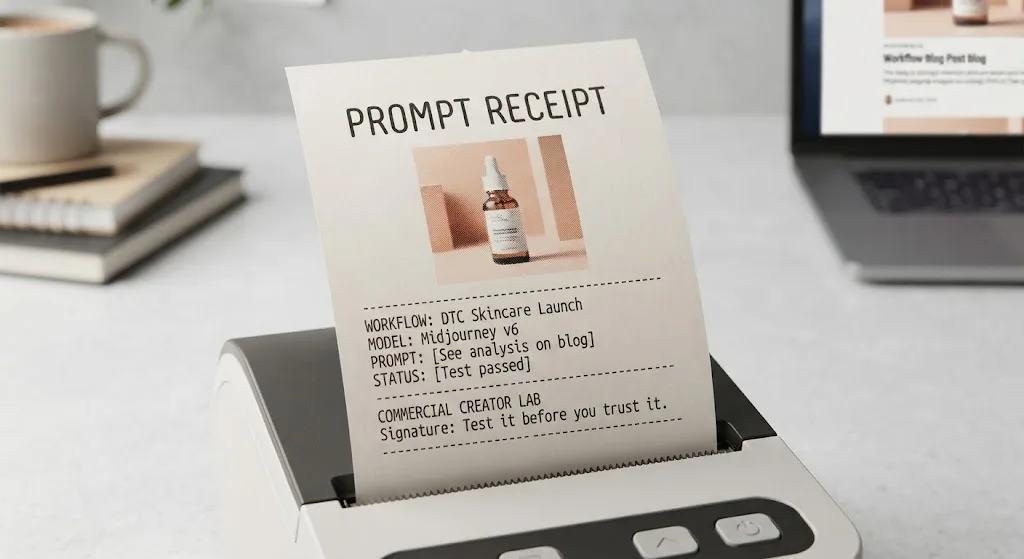

The first result looked impressive. The product moved, the lighting shimmered, and the camera pushed forward. Then the bottle label warped during the final second. That is why this wan 2.2 image to video prompt guide starts with a production rule: treat the source image, motion plan, and negative instructions as one brief, not as separate magic words. Image-to-video systems can create useful shots, but they amplify weak composition and unclear movement. A clean input and a restrained prompt usually beat a paragraph of cinematic adjectives.
Start with a motion brief, not a mood board
Before writing a prompt, describe what must remain unchanged. For a product image, that could be the bottle shape, cap, label, background color, and position on the table. Then define one primary action: the camera slowly pushes in, the package rotates slightly, or steam rises behind the object. Avoid asking for all three in the first generation. Motion models often interpret multiple actions as permission to redesign the scene.
A practical brief has five parts: subject preservation, subject action, camera movement, environmental movement, and timing. For example: “Preserve the exact black skincare bottle and readable front label. The bottle stays centered while the camera makes a slow, subtle push-in. A soft highlight travels across the glass. The background remains still.” That gives the model a hierarchy. The product is locked; the highlight is allowed to move.
This is the central idea in a wan 2.2 image to video prompt guide: motion should explain the shot rather than compete with it. If the reference already has strong lighting and composition, do not ask for a new visual style unless you are deliberately testing a transformation.
Build the prompt in layers
I use a short structure when testing Wan 2.2 workflows. First, identify the subject and its fixed details. Second, state the action using a simple verb. Third, describe camera behavior with direction and speed. Fourth, add only the environmental changes that support the subject. Finally, specify what should not change.
A reusable prompt might read: “A studio product photograph of a matte silver travel mug on a pale stone surface. Preserve the mug’s shape, lid, logo placement, and neutral background. The camera performs a very slow left-to-right slide while a small reflection moves across the metal. Natural, controlled motion, stable framing, no new objects, no text changes, no warping.”
The phrase “very slow” is not decorative. It sets a safer expectation than “dynamic commercial camera movement.” Likewise, “no new objects” helps when a clean tabletop begins accumulating props. In this wan 2.2 image to video prompt guide, the useful prompt is the one that makes a failed output easier to diagnose.

Choose camera movement the model can understand
Camera language is often where otherwise good generations fall apart. Use one movement at a time and connect it to the visible scene. A push-in means the subject becomes larger in frame. A pull-back reveals more space. A pan moves horizontally while the framing remains relatively consistent. A tilt moves vertically. An orbit changes the viewing angle and is more demanding because the model must invent hidden sides of the subject.
For e-commerce, a restrained push-in or lateral slide is usually the safest starting point. For a fashion or lifestyle image, a gentle handheld drift can add energy, but it may also produce unwanted shape changes. For a product with a front-facing label, avoid orbiting until you have tested whether the side geometry and branding survive.
The wan 2.2 image to video prompt guide approach is to test camera movement without adding an elaborate story. Generate a short batch with the same source image and vary only the camera instruction. Compare the first frame, middle frame, and final frame. If the object changes during a simple push-in, a complicated orbit will not rescue it.
Control the source image before blaming the prompt
A prompt cannot reliably repair a weak reference. Before uploading, inspect the image for soft edges, cropped products, reflections that resemble extra objects, and text too small to survive movement. A centered subject with clear separation from the background gives the model fewer ambiguities. If the intended final asset is vertical, start with a vertical composition rather than forcing a wide image into a tall delivery format.
I also remove unnecessary visual noise. A table covered with accessories creates more things that can drift, merge, or disappear. For a client concept, I may create a clean motion test first, then add environmental complexity in a second pass. That sounds slower, but it is quicker than trying to identify why the package, plant, glass, and shadow all changed in one generation.
Use a high-resolution reference when possible, but do not assume more pixels equal more control. The important details are readable shape, clear contrast, and a composition that already resembles the intended shot. The model should animate a decision, not make every decision from scratch.
Diagnose failures with a repeatable test
When a clip fails, save the prompt, source image, settings, seed information if available, and output. Change one variable at a time. If the label bends, shorten the action and reduce camera travel. If the object floats, strengthen its contact shadow in the source image and describe it as firmly resting on the surface. If the background pulses, remove words such as “alive,” “energetic,” or “dramatic,” which can encourage broad scene changes.
A useful test batch might contain four variations: a static subject with camera movement, a moving subject with a locked camera, a slower version of the preferred motion, and a version with stronger preservation language. This gives you evidence instead of a favorite generated by luck. In my own testing, the best-looking clip is not automatically the best source for revision; a less flashy clip with stable geometry is often easier to extend or edit.
This wan 2.2 image to video prompt guide also applies a practical stop rule. If three or four controlled attempts produce the same structural failure, change the source image or simplify the shot. Repeating the identical prompt twenty times is not a workflow. It is a slot machine with a deadline attached.

Write prompts for delivery, not just preview
A social preview can hide problems that appear in a paid ad or product page. Check the opening frame, because viewers may see it before motion begins. Check the final frame, because an unstable ending makes looping difficult. Look for label distortion, extra fingers, changing shadows, flicker, melted edges, and text that becomes unreadable. If the client needs captions or a call to action, leave negative space in the source composition instead of asking the model to generate typography.
For a ten-second ad concept, I would rather receive two stable five-second clips than one ambitious sequence that changes the product identity. Use the generated video as a shot, not necessarily as a finished campaign. Editing, color correction, sound design, and real text overlays still matter. AI-generated motion earns its place when it reduces concepting or creates a usable background, not when it forces an art director to defend obvious artifacts.
The strongest wan 2.2 image to video prompt guide workflow ends with a human review at normal playback speed and frame-by-frame inspection at problem areas. Test it before you trust it. The demo looked great; the deliverable did not. A disciplined prompt, simple movement, and documented comparison give you a much better chance of producing footage that survives the brief.
For AI tool features, rules and availability, refer to their official sites.
Leave your thoughts here, too.