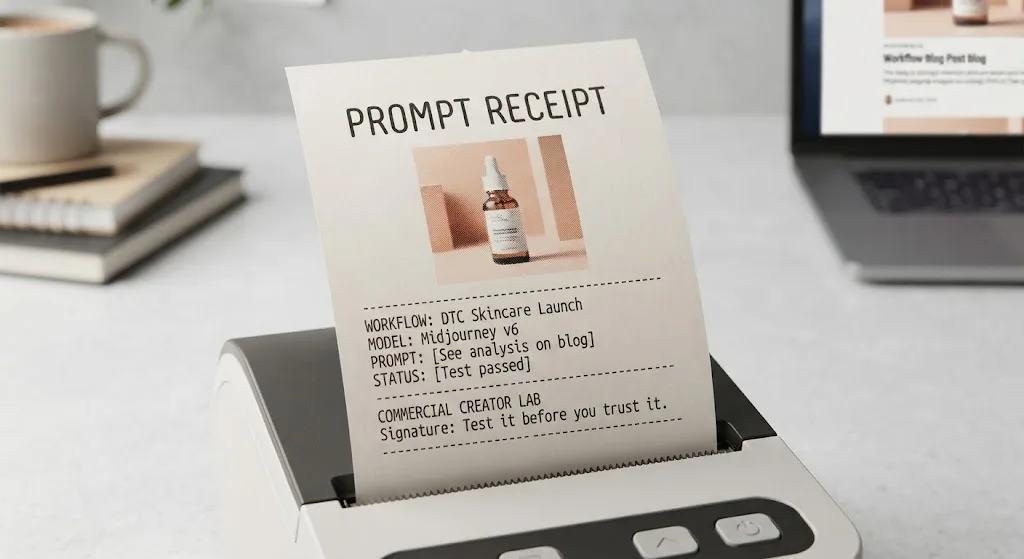

Most ChatGPT Christmas photo prompts produce something cheerful, glossy, and nearly useful. That last part is where the trouble starts. In my tests, the model usually understood “holiday product scene” but ignored practical details such as open copy space, accurate packaging, hand placement, and a consistent camera angle. The demo looked great. The deliverable did not.
The fix is not adding twenty decorative adjectives. It is writing a brief with a subject, composition, lighting plan, commercial purpose, and clear restrictions. I use ChatGPT Image for fast concept development, social content, and early product direction. I do not treat the first generation as a finished campaign asset, especially when packaging text or exact product geometry matters.
What to Put in a Christmas Image Prompt
A dependable prompt answers five questions. What is being photographed? Where is it placed? What should the camera see? What mood should the image create? What must remain empty or unchanged?
For example, instead of asking for “a beautiful Christmas product photo,” describe a matte red candle jar on a pale oak table, positioned in the lower-right third of the frame. Add warm window light from the left, a softly blurred tree in the background, natural pine branches near the edges, and clear negative space on the upper-left for a headline. State that the label should remain front-facing, centered, and free of invented lettering.
This structure makes ChatGPT Christmas photo prompts more useful because every phrase has a job. “Cozy” suggests a mood, but “warm side light with soft shadows and muted evergreen accents” gives the image system something visual to interpret. “Luxury” is similarly weak on its own. Specify restrained styling, low-saturation colors, polished surfaces, and a clean editorial composition instead.
Use a real output size in the brief when the placement matters. A vertical 4:5 composition suits an Instagram feed post, while a 9:16 frame gives a social story or short-form video cover room to breathe. For a website hero, request a wide layout and identify which side should hold copy.

Three ChatGPT Christmas Photo Prompts I Would Actually Test
Here are three starting points I would run as separate generations rather than combining into one overloaded request.
A product concept: “Create a premium holiday e-commerce photograph of a forest-green insulated travel mug on a light stone countertop. Place the mug slightly right of center, with a small evergreen branch and two restrained brass ornaments in the background. Use soft morning window light, realistic ceramic and metal texture, shallow depth of field, and a calm winter palette. Leave the upper-left quarter clean and low contrast for advertising copy. Keep the mug shape cylindrical, the lid properly attached, and the front surface free of random logos or text. Use a vertical 4:5 composition.”
A lifestyle concept: “Create a candid editorial holiday photograph of two adults wrapping a small gift at a dining table. Show hands, paper, ribbon, and a warm lamp-lit room, but keep faces partially outside the frame. Use natural gestures, believable fingers, modest seasonal decoration, and documentary-style composition. Leave the right side darker and uncluttered for text. Avoid cartoon styling, exaggerated smiles, plastic-looking skin, and visible writing on the gift tag.”
A campaign background: “Create a wide, photorealistic Christmas tabletop scene with a neutral cream backdrop, scattered fir needles, a few red berries, and soft directional shadows. Keep the center area almost empty for a product overlay. Make the decorations asymmetrical, refined, and suitable for a small direct-to-consumer brand. Avoid snow indoors, excessive glitter, busy patterns, and any words or letters.”
These ChatGPT Christmas photo prompts are deliberately less theatrical than typical prompt-list examples. Commercial images need room for a logo, a price, or a product that will be added later. A scene that fills every corner can look exciting in a gallery and become unusable in an ad.
A Repeatable Generation Workflow
Start with the composition, not the color palette. I generate four to six variations from the same base brief, then select the frame with the strongest structure. Changing the entire prompt after every result makes it impossible to know what helped. Change one variable at a time: camera height, background detail, light direction, or product position.
Once the layout works, ask for a controlled revision. “Keep the camera angle, subject size, lighting direction, and empty copy area unchanged. Replace the brass ornaments with matte white ornaments and reduce the visible greenery by half.” That is much safer than requesting a fresh “better version.” It gives the model a limited task and protects the parts that already survived review.
For product work, upload a clear reference image when the tool supports it. Photograph the item straight on and from a slight angle, with even light and no distracting props. Mention which characteristics matter: cap shape, handle position, label color, stitching, or silhouette. Even then, inspect edges closely. AI-generated products often acquire extra seams, warped lids, duplicate handles, or labels that look plausible until they are enlarged.
A practical review pass takes about five minutes per candidate. Check the product outline, hands, reflections, shadows, background distractions, and any implied text. Then view the image at the size where it will actually appear. A strange ornament may be invisible in a thumbnail but obvious in a printed postcard or a paid social placement.

Why Prompts Fail and How to Repair Them
The most common failure is instruction conflict. “Minimalist” combined with “richly decorated” gives the model no clear priority. “Sharp product detail with dreamy heavy blur” can also produce an awkward compromise. Choose the dominant visual direction and describe the secondary effect carefully.
Another problem is asking for readable typography inside the generated image. ChatGPT can sometimes create convincing short text, but it is still unreliable for packaging, sale banners, and legal copy. Generate a clean sign, label, or box without text, then add the wording in Photoshop, Canva, Figma, or your normal production tool. This two-stage workflow is faster than regenerating the same image twelve times while hoping the letters settle down.
Hands and faces deserve their own inspection. If people are not essential, crop at the shoulders or show an interaction from behind. If a face is central to the concept, request a relaxed expression and natural anatomy, then generate several options. Do not assume the most polished face is the most consistent one across revisions.
Many ChatGPT Christmas photo prompts also fail because they describe a mood without defining a customer or placement. A bright red, glitter-heavy scene may suit a children’s gift campaign but undermine a minimalist skincare brand. Add the audience, channel, and brand constraint. “Suitable for a premium body-care landing page” is more actionable when paired with neutral surfaces, restrained props, and generous whitespace.
A Better Test Before You Deliver
I keep the original brief, selected prompt, rejected generations, and final retouching notes together. That folder shows whether the workflow is actually saving time. If a “quick” image needed ten generations, manual masking, replacement shadows, and a full label rebuild, it was not quick; it was a rough concept with a misleading price tag.
For a small brand, I would test one hero image, one vertical social crop, and one plain background variation before promising a full holiday set. Compare them for subject consistency, usable negative space, retouching effort, and approval speed. Ask whether a designer can place real copy without fighting the composition. Ask whether the product still looks recognizable after cropping.
The strongest ChatGPT Christmas photo prompts are specific about constraints but flexible about decoration. They establish what cannot change, identify what the image must communicate, and leave the model a manageable visual problem. That balance produces fewer spectacular failures and more starting points a client can approve.
Test it before you trust it. AI image generation is useful when it reduces exploration time, not when it creates another pile of attractive files nobody can publish.
For AI tool features, rules and availability, refer to their official sites.
Leave your thoughts here, too.