
Most of the composition failures I see in commercial AI sets come from the same root: the camera was never actually locked. The prompt said “three-quarter view” or “slight overhead” and the model interpreted those words as a range. Across a batch the product rises, falls, tilts, and drifts toward the center. Crops that should have been safe suddenly clip the bottle or kill the negative space. The set falls apart even when every individual frame looks acceptable.
I used to treat camera language as descriptive. I now treat it as a set of hard constraints. This is the practical method that has reduced the largest source of inconsistency in my product and lifestyle work.
Why Soft Camera Language Fails
Phrases like “three-quarter view,” “eye-level,” “slightly above,” or “dynamic angle” are relative. The model has seen thousands of variations that could reasonably match those words. When you generate a set, it samples from that range. The result is a collection of frames that each satisfy the prompt in isolation and fail when placed side by side or when a real crop is applied.
Commercial work does not need a range. It needs a repeatable camera position so the product scale, the negative-space zone, and the crop safety stay predictable. Soft language cannot deliver that.
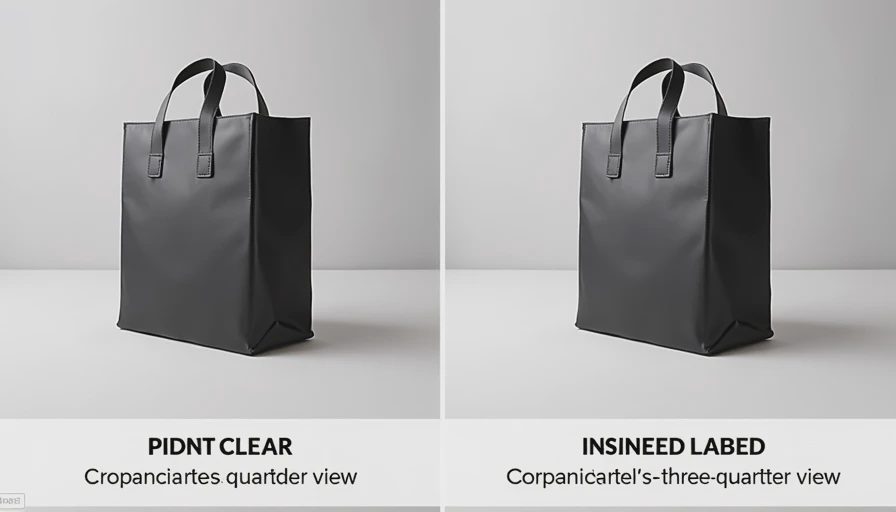
The Three Constraints That Actually Lock the Camera
I now write every commercial camera instruction with three concrete pieces:
Height relative to a fixed point on the product
Angle in plain directional terms
Framing rule that anchors the product inside the frame
Examples I reuse constantly:
“camera height just above the bottle cap, slight three-quarter view from the front-right, product placed in the left two-thirds of the frame”
“camera height at the top of the label, straight-on front view, product centered but with clear space on both sides”
“camera height slightly above the kettle lid, soft overhead three-quarter view, product in the lower two-thirds of the frame”
The height reference is the most important. “Just above the cap” or “at the top of the label” gives the model a fixed landmark on the object itself. Relative terms like “slightly above” without a landmark are much weaker.
Where Camera Language Sits in the Prompt
Camera and framing instructions belong in the composition block, after product and scene, before exclusions and long before style. I never bury them inside atmospheric language. The order I protect is:
Product and material
Scene and lighting
Composition and camera constraints
Short exclusions
Style only if needed
When the camera rules sit in the right place and stay concrete, lighting and background changes are less likely to rewrite the viewpoint. When the camera language is vague or placed late, every other adjustment tends to drift the angle.
Testing the Lock Before Building the Set
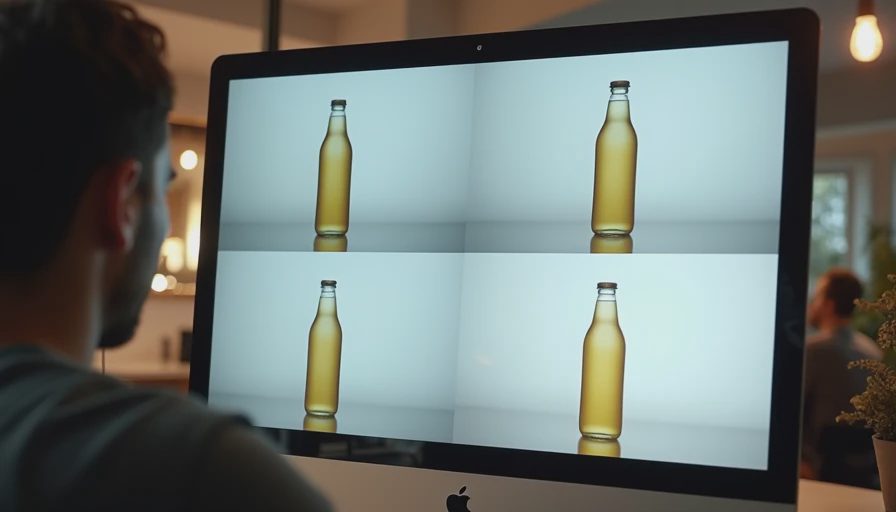
After I write the camera block I run a short stress test. I generate six to eight frames with the identical camera instruction and no other changes. I look at them in a grid and check three things:
Does the product sit at roughly the same height in the frame?
Does the angle of the main faces or labels stay consistent?
Does the empty-space zone remain usable under the crops the client will actually need?
If the answer to any question is no, I tighten the height landmark or the framing rule and test again. I do not proceed to large batches or background variations until the camera holds. This step takes ten to fifteen minutes and prevents the most common multi-image failure mode I used to chase for hours.
Real Examples From Recent Jobs
A frosted serum bottle kept rising and falling in the frame whenever I changed the surface. The soft instruction “slight three-quarter view, product slightly off-center” produced a usable range of about 15–20 % vertical drift. Replacing it with “camera height just above the dropper tip, slight three-quarter view from the front-right, product locked in the left two-thirds of the frame” cut the drift enough that a five-background set stayed coherent.
A ceramic pour-over kettle had the opposite problem: the camera height was stable but the angle kept rotating, showing more or less of the spout. Adding the explicit directional note “from the front-right” and anchoring the height to the lid reduced the rotation so the set could be used in a carousel without the product appearing to turn.
In both cases the material and lighting language stayed identical. Only the camera block changed. The improvement was immediate.
How Crop Requirements Change the Language
When the final assets must survive specific crops (4:5, 1:1, 9:16), I add one more rule to the composition block: a safety margin or a more conservative product placement. “Product placed in the left two-thirds” is often not enough for a tight 9:16 crop. I shift to “product placed in the left half with clear margin from the right edge” or “product kept in the central vertical band so both vertical and square crops remain safe.”
I test the actual crops on the short stress-test batch before I approve the camera language. A frame that looks well-composed in the native aspect ratio can still fail when the client’s real placements are applied. Checking early is cheaper than discovering the problem after the full set is generated.
What I No Longer Write
I have dropped almost all of the following from commercial camera instructions:
“Dynamic angle”
“Cinematic viewpoint”
“Rule of thirds” as a substitute for actual placement
“Slightly above” without a product landmark
“Off-center” without a fraction or clear zone
These phrases still appear in exploratory or mood work. They are too soft for any set that must hold consistency or survive defined crops.
Integration With the Rest of the Workflow
Camera control is part of the same foundation structure I use for material, negative space, and product locking. Because it is stated early and concretely, I can change backgrounds, light quality, or minor wardrobe elements without constantly re-fighting the viewpoint. That separation is what makes multi-image sets practical instead of lucky.
It also makes model comparisons fairer. When the camera block is identical and specific, differences in output are more likely to reflect the model rather than prompt ambiguity.
The Practical Outcome
Since I began writing camera height, angle, and framing as hard constraints and testing them in a small grid before full generation, the number of sets rejected for inconsistent viewpoint or failed crops has dropped sharply. The prompts are shorter, the batches are more predictable, and the side-by-side review is far less painful.
Lock the camera with a height landmark on the product, a clear directional angle, and an explicit framing rule. Place those instructions in the composition block. Test them in a small grid under the real crops. Only then build the rest of the set. That is the entire method.
I used to generate twenty frames and wonder why the product kept moving. Now I lock the camera first and the product stays put. Test the viewpoint before you trust the batch. The demo can look consistent one frame at a time. The set has to survive the grid and the crop.
Brands and cases are illustrative. For AI tool features, rules and availability, refer to their official sites.




Leave your thoughts here, too.